


By Dilpreet Kaur
Why HubSpot Implementations Fail at Scale (And How to Fix Them)
HubSpot is one of the most popular platforms for managing marketing, sales, and customer relationships.
HubSpot is one of the most popular platforms for managing marketing, sales, and customer relationships. It’s intuitive, feature-rich, and designed to help businesses grow. But there’s something most vendors won’t tell you upfront. A lot of HubSpot implementations fall apart the moment a business tries to scale.
What works well for a 15-person startup can become a complete mess for a 150-person company. Contacts pile up. Automations conflict with each other. Reports stop making sense. And somewhere along the way, the tool that was supposed to make life easier starts creating more problems than it solves.
The good part is that these failures follow recognizable patterns. And once you know what to look for, most of them are absolutely fixable.
HubSpot is one of the most popular platforms for managing marketing, sales, and customer relationships. It’s intuitive, feature-rich, and designed to help businesses grow. But there’s something most vendors won’t tell you upfront. A lot of HubSpot implementations fall apart the moment a business tries to scale.
What works well for a 15-person startup can become a complete mess for a 150-person company. Contacts pile up. Automations conflict with each other. Reports stop making sense. And somewhere along the way, the tool that was supposed to make life easier starts creating more problems than it solves.
The good part is that these failures follow recognizable patterns. And once you know what to look for, most of them are absolutely fixable.
First, Let's Look at the Bigger Picture
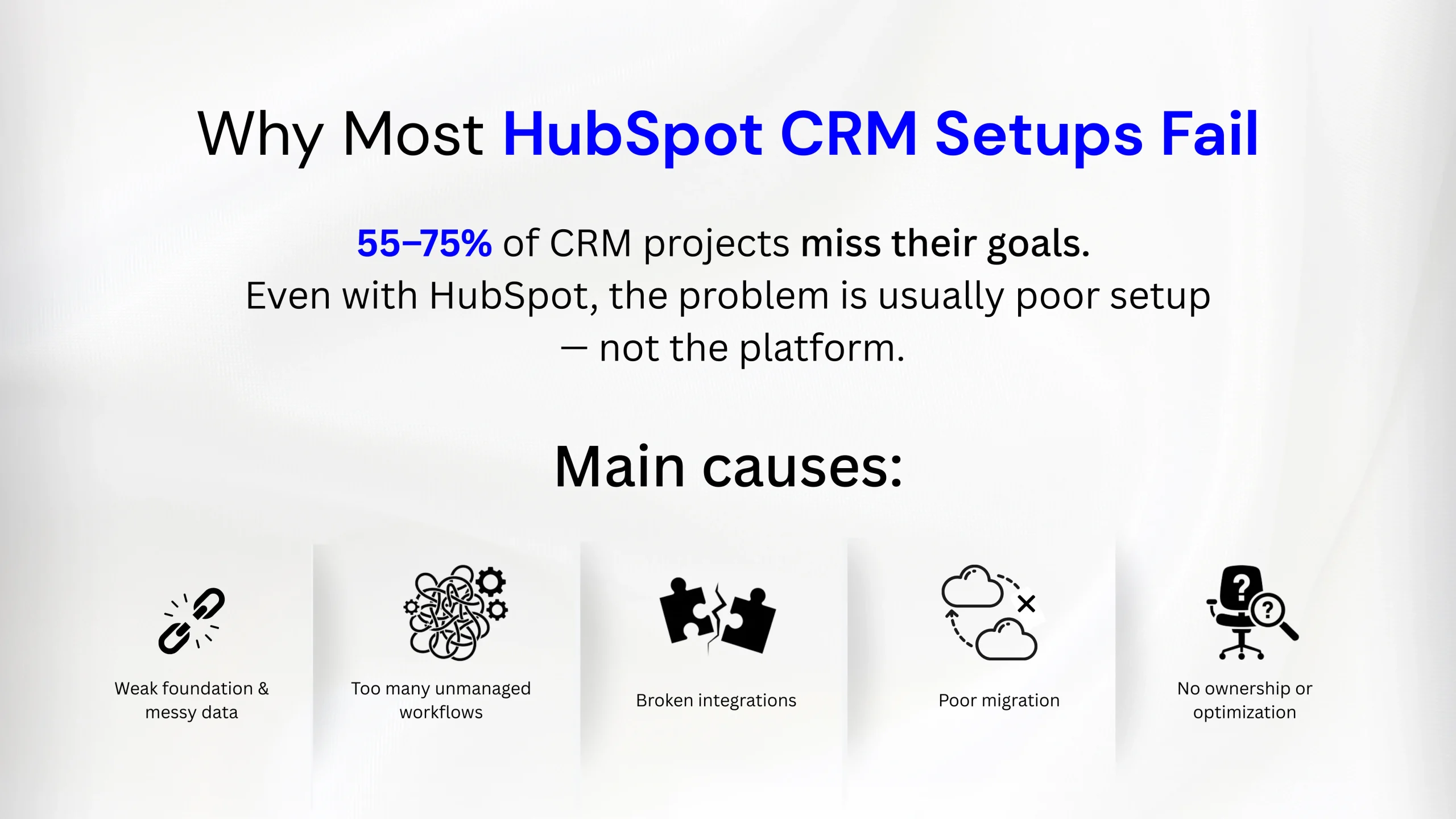
CRM failures are more common than most businesses like to admit. Gartner estimates that between 55% and 75% of CRM projects fail to meet their original goals. HubSpot, despite being more user-friendly than many alternatives, isn’t immune to this. The platform itself rarely gets in the way. The real culprits are poor setup decisions, inconsistent processes, and a lack of long-term planning.
Let’s break down exactly where things tend to go wrong.
CRM failures are more common than most businesses like to admit. Gartner estimates that between 55% and 75% of CRM projects fail to meet their original goals. HubSpot, despite being more user-friendly than many alternatives, isn’t immune to this. The platform itself rarely gets in the way. The real culprits are poor setup decisions, inconsistent processes, and a lack of long-term planning.
Let’s break down exactly where things tend to go wrong.
1. The Foundation Was Never Solid
Most HubSpot problems trace back to the very beginning. When companies first get started, they’re in a rush to get things running. They skip the planning phase, import their contacts without cleaning them, and build pipelines on the fly. For a small team, this works, barely.
But as the business grows, that shaky foundation starts showing cracks. Contact records are duplicated. Deal stages mean different things to different reps. Properties have inconsistent values because nobody standardized them at the start.
This is where bringing in HubSpot consulting services early makes a big difference. An experienced consultant helps you design your data architecture, define naming conventions, and set up your portal in a way that’s built to grow, not just built to work today. If you skipped this step initially, it’s worth doing a proper audit before the problems multiply further.
Most HubSpot problems trace back to the very beginning. When companies first get started, they’re in a rush to get things running. They skip the planning phase, import their contacts without cleaning them, and build pipelines on the fly. For a small team, this works, barely.
But as the business grows, that shaky foundation starts showing cracks. Contact records are duplicated. Deal stages mean different things to different reps. Properties have inconsistent values because nobody standardized them at the start.
This is where bringing in HubSpot consulting services early makes a big difference. An experienced consultant helps you design your data architecture, define naming conventions, and set up your portal in a way that’s built to grow, not just built to work today. If you skipped this step initially, it’s worth doing a proper audit before the problems multiply further.
2. Automations That Made Sense Once, But Not Anymore
Automation is one of HubSpot’s most valuable features. But it’s also one of the easiest things to get wrong, especially as a business scales and more people start building their own automations.
HubSpot CRM workflows are particularly prone to “accumulation problems.” Someone builds a workflow for a campaign. Someone else builds another one for a similar use case. Over time, nobody really knows which workflows are active, which ones overlap, and which ones are enrolling contacts they shouldn’t be.
Here’s what this typically looks like in practice:
- Contacts get enrolled in multiple sequences at the same time, leading to message overload
- Workflows with outdated logic are never deleted, and they keep running in the background
- There’s no clear owner for each automation, so when something breaks, nobody knows where to look
- Enrollment criteria are so broad that the wrong contacts keep getting pulled in
The fix here isn’t complicated, but it does take time. Every active workflow needs a name that clearly explains what it does, a documented purpose, and a designated owner. Before building anything new, map the logic out first, even just on paper. Automation should simplify your process, not add to the confusion.
Automation is one of HubSpot’s most valuable features. But it’s also one of the easiest things to get wrong, especially as a business scales and more people start building their own automations.
HubSpot CRM workflows are particularly prone to “accumulation problems.” Someone builds a workflow for a campaign. Someone else builds another one for a similar use case. Over time, nobody really knows which workflows are active, which ones overlap, and which ones are enrolling contacts they shouldn’t be.
Here’s what this typically looks like in practice:
- Contacts get enrolled in multiple sequences at the same time, leading to message overload
- Workflows with outdated logic are never deleted, and they keep running in the background
- There’s no clear owner for each automation, so when something breaks, nobody knows where to look
- Enrollment criteria are so broad that the wrong contacts keep getting pulled in
The fix here isn’t complicated, but it does take time. Every active workflow needs a name that clearly explains what it does, a documented purpose, and a designated owner. Before building anything new, map the logic out first, even just on paper. Automation should simplify your process, not add to the confusion.
3. Third-Party Tools That Don't Talk to Each Other
As companies grow, so does their tech stack. You add a customer support tool. Then a billing platform. Then, a data enrichment service. Before long, HubSpot is supposed to connect with six or seven different systems, and nobody thought carefully about how that would actually work.
This is where custom HubSpot integrations become essential. Generic, out-of-the-box connectors handle basic use cases fine, but they often fall short when you’re dealing with complex data flows, custom field mappings, or two-way syncing between platforms.
When integrations aren’t built properly, a few things tend to happen. Sales reps look at HubSpot and see outdated data. Finance and support teams are working from different records than the marketing team. And reporting becomes unreliable because information is scattered across systems that aren’t in sync.
Getting your integrations right requires technical expertise and a solid understanding of how your data should move between platforms. It’s not the kind of thing to cut corners on because bad integrations create bad data, and bad data creates bad decisions.
As companies grow, so does their tech stack. You add a customer support tool. Then a billing platform. Then, a data enrichment service. Before long, HubSpot is supposed to connect with six or seven different systems, and nobody thought carefully about how that would actually work.
This is where custom HubSpot integrations become essential. Generic, out-of-the-box connectors handle basic use cases fine, but they often fall short when you’re dealing with complex data flows, custom field mappings, or two-way syncing between platforms.
When integrations aren’t built properly, a few things tend to happen. Sales reps look at HubSpot and see outdated data. Finance and support teams are working from different records than the marketing team. And reporting becomes unreliable because information is scattered across systems that aren’t in sync.
Getting your integrations right requires technical expertise and a solid understanding of how your data should move between platforms. It’s not the kind of thing to cut corners on because bad integrations create bad data, and bad data creates bad decisions.
4. Migrating Without a Real Plan
A significant number of businesses come to HubSpot from another CRM, such as Salesforce, Pipedrive, Zoho, or even a spreadsheet. The migration process is often rushed or handed off to someone without the right expertise. And the mess left behind can linger for years.
HubSpot migration services exist precisely because data migration is harder than it looks. It’s not just about moving records from point A to point B. It’s about cleaning the data, mapping it correctly to HubSpot’s structure, and verifying that everything transferred accurately before you flip the switch.
When migrations are done poorly, you end up with contacts that are missing key information, companies not linked to the right deals, and historical activity data that’s either wrong or incomplete. Your team loses trust in the data, and once that trust is gone, adoption suffers.
A similar problem comes up with HubSpot CMS migration when companies move their website from WordPress, Webflow, or another platform into HubSpot’s content management system. If this isn’t handled carefully, SEO rankings can drop, page templates break, and content gets lost or displays incorrectly. A rushed CMS migration can undo months of organic growth in a matter of days.
A significant number of businesses come to HubSpot from another CRM, such as Salesforce, Pipedrive, Zoho, or even a spreadsheet. The migration process is often rushed or handed off to someone without the right expertise. And the mess left behind can linger for years.
HubSpot migration services exist precisely because data migration is harder than it looks. It’s not just about moving records from point A to point B. It’s about cleaning the data, mapping it correctly to HubSpot’s structure, and verifying that everything transferred accurately before you flip the switch.
When migrations are done poorly, you end up with contacts that are missing key information, companies not linked to the right deals, and historical activity data that’s either wrong or incomplete. Your team loses trust in the data, and once that trust is gone, adoption suffers.
A similar problem comes up with HubSpot CMS migration when companies move their website from WordPress, Webflow, or another platform into HubSpot’s content management system. If this isn’t handled carefully, SEO rankings can drop, page templates break, and content gets lost or displays incorrectly. A rushed CMS migration can undo months of organic growth in a matter of days.
5. No One's in Charge of the Platform
Here’s a scenario that plays out more often than you’d think. One person, usually someone on the marketing team, sets up HubSpot, learns the ropes, and becomes the go-to resource for everything platform-related. Then they leave. Suddenly, nobody knows how the workflows were built, why certain properties exist, or what half the automations are actually doing.
At scale, HubSpot governance is non-negotiable. That means clear documentation for every workflow, integration, and pipeline. It means defined roles: who can create or modify properties, who manages the CRM, and who owns the reporting dashboards. It means a proper onboarding process for new team members, so the platform knowledge doesn’t disappear when someone moves on.
Without governance, the portal slowly turns into a system that nobody fully understands, and everyone is afraid to touch. And the longer that goes on, the harder (and more expensive) it is to fix.
Here’s a scenario that plays out more often than you’d think. One person, usually someone on the marketing team, sets up HubSpot, learns the ropes, and becomes the go-to resource for everything platform-related. Then they leave. Suddenly, nobody knows how the workflows were built, why certain properties exist, or what half the automations are actually doing.
At scale, HubSpot governance is non-negotiable. That means clear documentation for every workflow, integration, and pipeline. It means defined roles: who can create or modify properties, who manages the CRM, and who owns the reporting dashboards. It means a proper onboarding process for new team members, so the platform knowledge doesn’t disappear when someone moves on.
Without governance, the portal slowly turns into a system that nobody fully understands, and everyone is afraid to touch. And the longer that goes on, the harder (and more expensive) it is to fix.
6. Treating It Like a One-Time Project
HubSpot is not a “set it and forget it” platform. The tool evolves constantly. New features roll out, best practices shift, and business needs change. Companies that implement HubSpot and then check out are leaving a lot of value sitting on the table.
HubSpot marketing automation sequences, for example, need to be reviewed regularly. What worked for your audience six months ago may not be working today. Reporting dashboards should evolve as business goals shift. New HubSpot features should be evaluated to see if they can replace clunky workarounds that were built out of necessity.
Ongoing optimization doesn’t have to be overwhelming. Even a quarterly review of your key workflows, sequences, and contact database can go a long way toward keeping the platform healthy and effective.
HubSpot is not a “set it and forget it” platform. The tool evolves constantly. New features roll out, best practices shift, and business needs change. Companies that implement HubSpot and then check out are leaving a lot of value sitting on the table.
HubSpot marketing automation sequences, for example, need to be reviewed regularly. What worked for your audience six months ago may not be working today. Reporting dashboards should evolve as business goals shift. New HubSpot features should be evaluated to see if they can replace clunky workarounds that were built out of necessity.
Ongoing optimization doesn’t have to be overwhelming. Even a quarterly review of your key workflows, sequences, and contact database can go a long way toward keeping the platform healthy and effective.
How to Turn Things Around
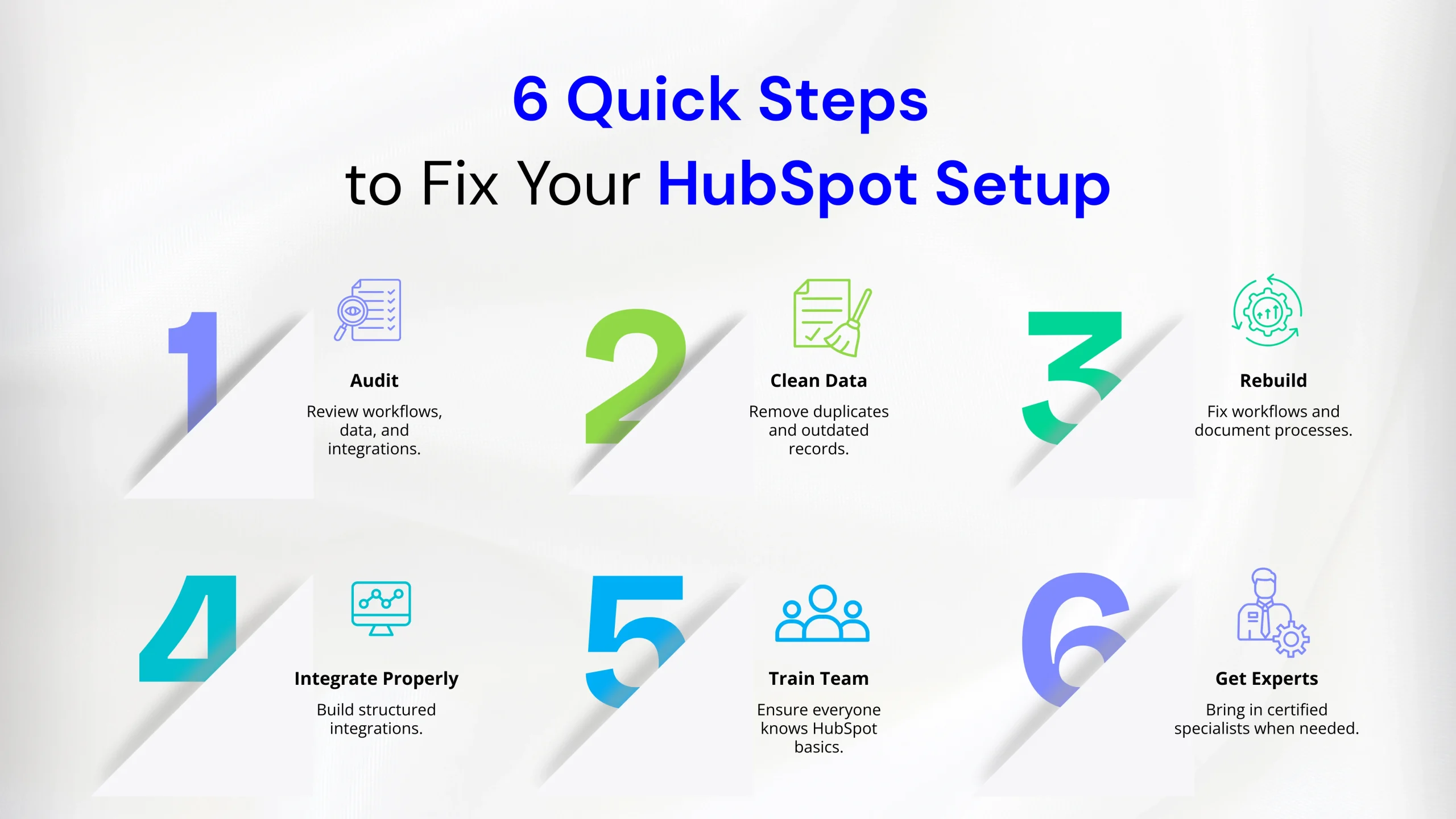
If any of this sounds familiar, here’s a straightforward path toward getting things back on track.
1. Audit everything first
Before you fix anything, you need to understand what you’re actually dealing with. Look at your active workflows, contact database, integrations, and reports. Document what’s working and what isn’t.
2. Clean your data
Deduplicate contacts, standardize property values, and archive anything that’s outdated or irrelevant. Good data is the foundation of everything else.
3. Rebuild with documentation
When you rebuild workflows and processes, document them as you go. Future-you (and your teammates) will be grateful.
4. Invest in proper integrations
If your third-party tools aren’t syncing correctly, don’t keep patching around the problem. Build integrations that are designed for your specific setup.
5. Train your team
Platform knowledge shouldn’t live with just one person. Create role-specific training so every user, from SDRs to content marketers, knows how to use HubSpot correctly.
6. Bring in the right expertise
For complex rebuilds, migrations, or technical projects, working with certified HubSpot experts can save you months of trial and error. These are professionals with proven experience across dozens of implementations, and they’ve seen and solved the exact problems you’re dealing with.
And when the work requires technical depth, including custom modules, API-based integrations, or advanced CRM configuration, dedicated HubSpot development support ensures that what gets built is solid, scalable, and maintainable long-term.
If any of this sounds familiar, here’s a straightforward path toward getting things back on track.
1. Audit everything first
Before you fix anything, you need to understand what you’re actually dealing with. Look at your active workflows, contact database, integrations, and reports. Document what’s working and what isn’t.
2. Clean your data
Deduplicate contacts, standardize property values, and archive anything that’s outdated or irrelevant. Good data is the foundation of everything else.
3. Rebuild with documentation
When you rebuild workflows and processes, document them as you go. Future-you (and your teammates) will be grateful.
4. Invest in proper integrations
If your third-party tools aren’t syncing correctly, don’t keep patching around the problem. Build integrations that are designed for your specific setup.
5. Train your team
Platform knowledge shouldn’t live with just one person. Create role-specific training so every user, from SDRs to content marketers, knows how to use HubSpot correctly.
6. Bring in the right expertise
For complex rebuilds, migrations, or technical projects, working with certified HubSpot experts can save you months of trial and error. These are professionals with proven experience across dozens of implementations, and they’ve seen and solved the exact problems you’re dealing with.
And when the work requires technical depth, including custom modules, API-based integrations, or advanced CRM configuration, dedicated HubSpot development support ensures that what gets built is solid, scalable, and maintainable long-term.
The Bottom Line
HubSpot is a genuinely powerful platform. When it’s set up well and maintained properly, it can run the core of your sales and marketing operation without you even thinking about it. But it doesn’t get there on its own.
The businesses that see the best results from HubSpot aren’t necessarily the ones with the biggest budgets. They’re the ones that planned carefully, fixed problems early, and treated the platform as something worth investing in, not just turning on.
If your implementation is showing signs of strain, the best time to address it is now. The longer you wait, the more the problems compound. And the more they compound, the harder the fix becomes.
HubSpot is a genuinely powerful platform. When it’s set up well and maintained properly, it can run the core of your sales and marketing operation without you even thinking about it. But it doesn’t get there on its own.
The businesses that see the best results from HubSpot aren’t necessarily the ones with the biggest budgets. They’re the ones that planned carefully, fixed problems early, and treated the platform as something worth investing in, not just turning on.
If your implementation is showing signs of strain, the best time to address it is now. The longer you wait, the more the problems compound. And the more they compound, the harder the fix becomes.
Frequently Asked Questions
Q1: What are the most common warning signs that a HubSpot implementation is failing?
The clearest signs include workflow errors, high rates of contact duplication, inaccurate reports, poor team adoption, and integrations that sync inconsistently. If your sales or marketing team regularly works around HubSpot instead of through it, that’s usually a sign that something in the setup needs attention.
Q2: How long does a HubSpot CMS migration typically take?
It depends on the size and complexity of your site. A straightforward website with under 50 pages can often be migrated in two to four weeks. Larger sites with custom templates, rich media, or complex functionality may take two to three months. Proper planning and having an experienced partner handle the migration help avoid SEO disruptions and broken content.
Q3: When does it make sense to hire certified HubSpot experts versus handling things in-house?
Your internal team can handle day-to-day management once the platform is properly set up. But for complex challenges, a full portal rebuild, a large-scale data migration, or designing custom integrations from scratch, certified experts bring a depth of platform knowledge that reduces risk and speeds things up considerably.
Q4: What’s the difference between HubSpot consulting services and HubSpot development?
Consulting focuses on strategy, process design, team training, and optimizing how you use the platform. Development covers the technical side, including building custom integrations, creating CMS themes and modules, configuring custom objects, and handling anything that requires coding or API work. Many agencies offer both, and complex projects often need both.
Q5: How do I know if my HubSpot CRM workflows are causing problems?
Start by reviewing the enrollment history for your active workflows. If contacts are being enrolled in sequences, they shouldn’t be in, or if the same contact appears in multiple overlapping automations, there’s likely a logic issue. HubSpot’s built-in workflow performance data also surfaces errors and unexpected unenrollments that can help you pinpoint where things are going wrong.
Q1: What are the most common warning signs that a HubSpot implementation is failing?
The clearest signs include workflow errors, high rates of contact duplication, inaccurate reports, poor team adoption, and integrations that sync inconsistently. If your sales or marketing team regularly works around HubSpot instead of through it, that’s usually a sign that something in the setup needs attention.
Q2: How long does a HubSpot CMS migration typically take?
It depends on the size and complexity of your site. A straightforward website with under 50 pages can often be migrated in two to four weeks. Larger sites with custom templates, rich media, or complex functionality may take two to three months. Proper planning and having an experienced partner handle the migration help avoid SEO disruptions and broken content.
Q3: When does it make sense to hire certified HubSpot experts versus handling things in-house?
Your internal team can handle day-to-day management once the platform is properly set up. But for complex challenges, a full portal rebuild, a large-scale data migration, or designing custom integrations from scratch, certified experts bring a depth of platform knowledge that reduces risk and speeds things up considerably.
Q4: What’s the difference between HubSpot consulting services and HubSpot development?
Consulting focuses on strategy, process design, team training, and optimizing how you use the platform. Development covers the technical side, including building custom integrations, creating CMS themes and modules, configuring custom objects, and handling anything that requires coding or API work. Many agencies offer both, and complex projects often need both.
Q5: How do I know if my HubSpot CRM workflows are causing problems?
Start by reviewing the enrollment history for your active workflows. If contacts are being enrolled in sequences, they shouldn’t be in, or if the same contact appears in multiple overlapping automations, there’s likely a logic issue. HubSpot’s built-in workflow performance data also surfaces errors and unexpected unenrollments that can help you pinpoint where things are going wrong.




Get in Touch!
Error: Contact form not found.
Related Posts
Stay updated and join the buzz with these topics